The menu: everything the game has, and where it is
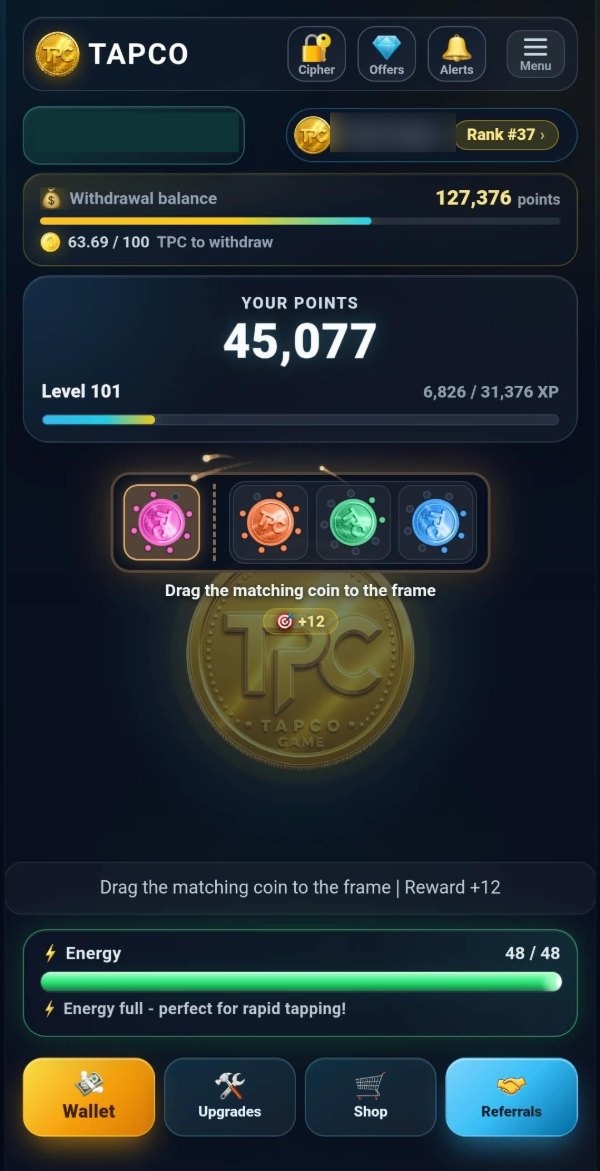
The main screen carries the coin, the energy strip, the balances and four buttons along the bottom. Everything else in TAPCO is behind the menu, which slides in from the side and fits on one screen without scrolling.
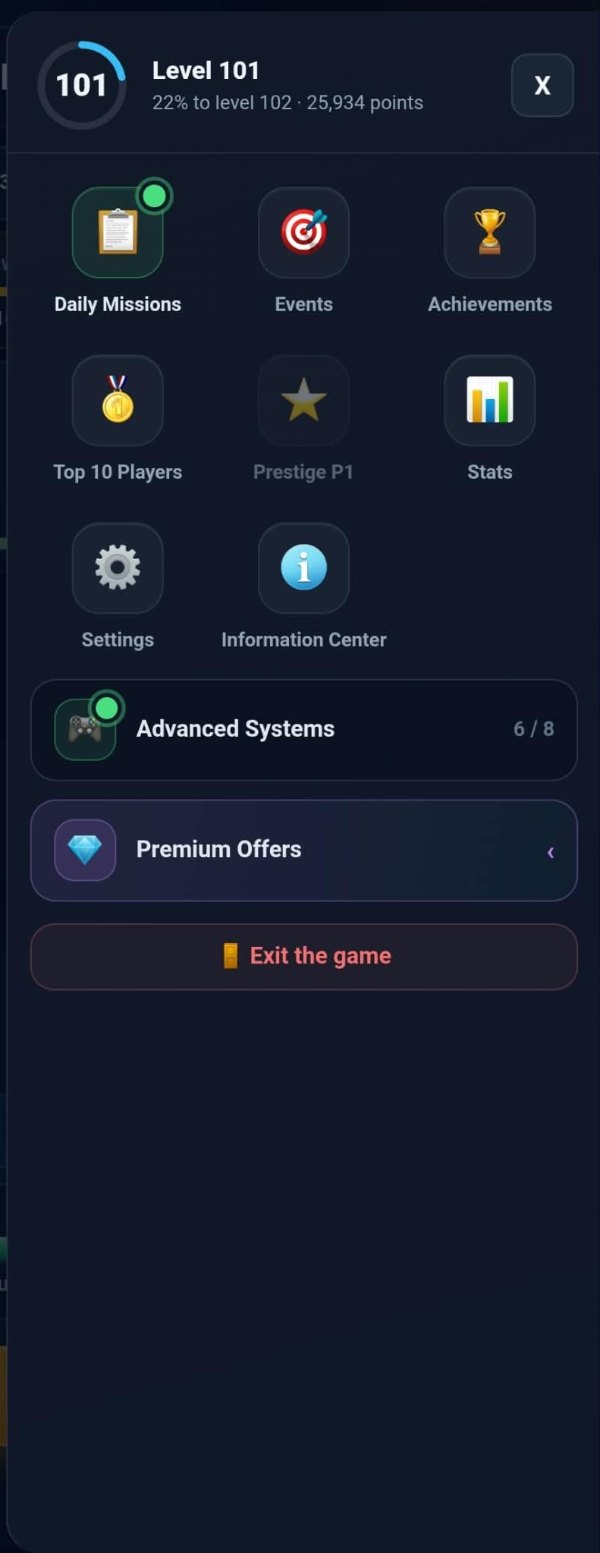
At the top of it is a ring with your level in it and how far through the level you are. Under that are eight tiles, one row for the systems, one for the offers, and the way out.
The eight tiles
The first four are the things that renew: daily missions, the daily events, achievements and the daily ranking. Three of those four reset at midnight, and achievements are the one that never expires.
The next two are about your own account: prestige, which shows the level you are at and dims until you can use it, and the stats panel, which is the day and the account in numbers.
The last two are settings and the information centre. Neither changes anything you own; between them they hold the language, the effects, your player id, and the way to reach us.
The two rows under them
Advanced Systems is one row with a count on it — six of eight, on the account above. Behind it are the eight systems that open as you go, from the research lab at level twenty to the end-game loop at the very end. It carries a dot when one of them has just opened.
Premium Offers is the one shop in the game that takes money. Four things, each payable with Telegram Stars or with tokens already in your wallet.
The last button closes the game and returns to Telegram. Nothing is lost by pressing it: your progress is on the server, not in the page.
And what is not in the menu
Four things sit on the bottom bar of the main screen instead, because they are used far more often than anything in the menu: the wallet, the upgrades, the shop and the referrals. All four are open from the first minute of the first day.
The top bar carries three more: the padlock for the daily cipher, which only appears while the puzzle is open, a diamond for the offers, and the alerts bell.
So the whole game is three places: the main screen for what you do constantly, the bottom bar for the wallet and the shops, and the menu for everything you visit rather than live in.
The bell, and what it keeps
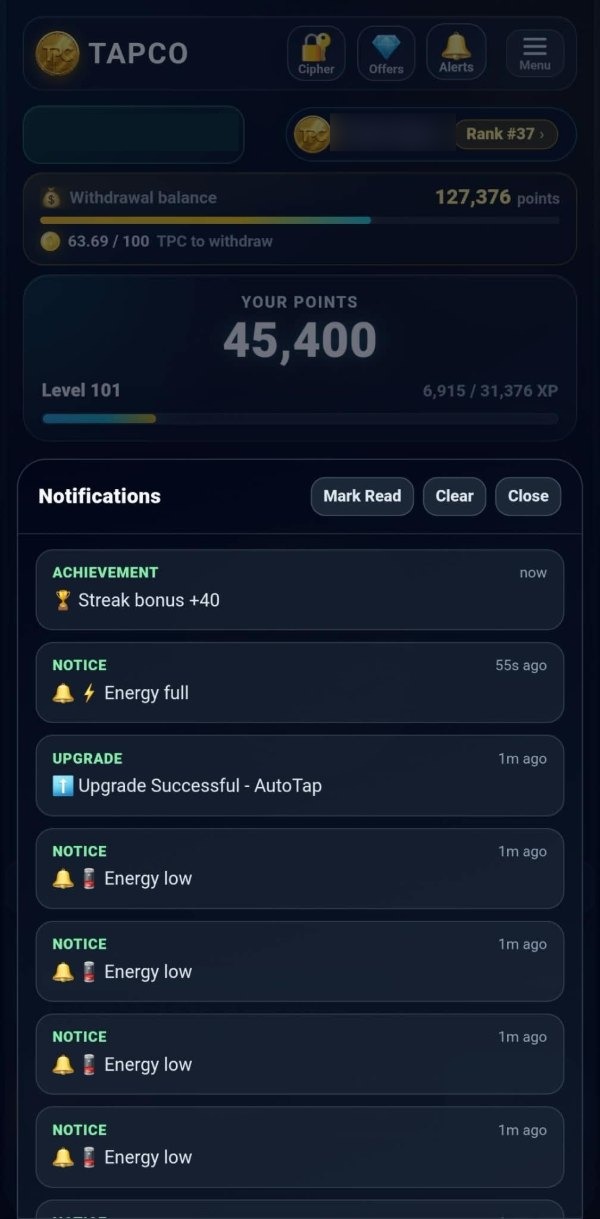
The alerts bell in the top bar opens a list of what has happened to your account recently, newest first, each entry tagged with what kind of thing it was — an achievement, an upgrade, or a plain notice — and how long ago it was.
It is a record rather than a demand. Nothing in it needs pressing and nothing expires from it: a streak bonus that landed while you were in another panel is still there afterwards, and so is the upgrade you bought and the moment your energy filled. Three buttons at the top mark it all read, clear it, or close it.
It is the one place that tells you something happened without interrupting what you were doing, which is why the panel carries the small things — energy full, energy low — that no other screen would be worth opening for.